
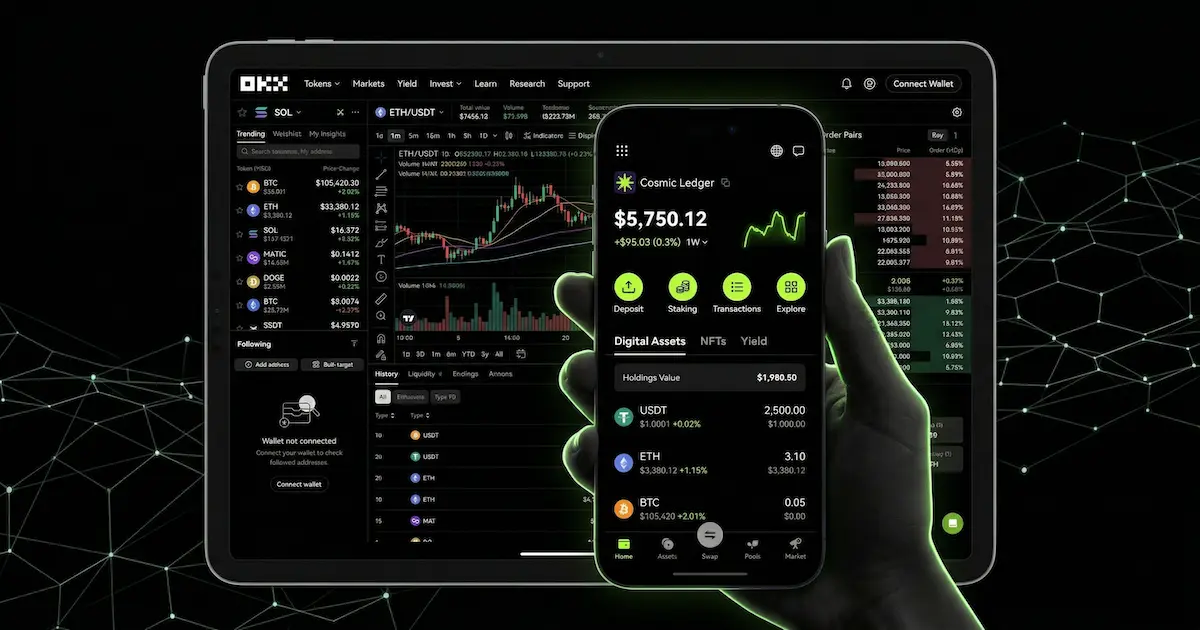
If you want your cryptocurrency to appear professionally inside a major Web3 application, you must treat the process seriously. Many founders mistakenly look for a single submission form. However, if you want to add token to OKX Wallet with a proper logo and live price, you are facing a multi-layer integration problem. There is no magic button for instant listing.
Web3 projects often struggle with visibility. For example, a development team might launch an amazing decentralized application. They deploy their token and expect users to trade it immediately. Instead, users report that the token is not showing in OKX Wallet. Furthermore, the token logo is missing, and the interface displays a massive risk warning. This creates immediate distrust.
To fix this, you must align your smart contract, project metadata, market data, and security profile. If any of these layers fail, your token will look broken. Therefore, this ultimate guide will teach you exactly how to make token visible in OKX Wallet. We will cover everything from fixing the OKX Wallet token price not showing issue to removing the dreaded risky token warning. Ready to optimize your project? Let us dive in.
Likewise, teams pursuing broader wallet coverage should compare this process with how to get token listed on Exodus Wallet and how to add token to Trust Wallet, because both workflows rely on the same foundation of verified branding, stable logos, and real pricing data. Furthermore, teams that treat wallet visibility as a layered process can use this SafePal listing preparation workflow to prepare metadata, holder fallback instructions, price-data checks, and realistic launch messaging.
What Fully Visible Actually Means for an OKX Wallet Custom Token
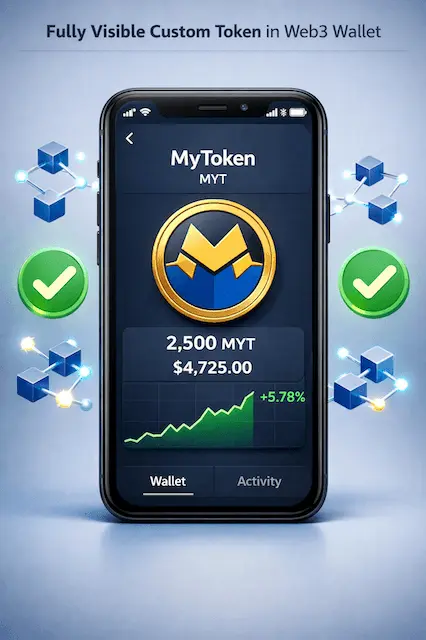
A polished and professional token experience requires multiple components to function together perfectly. When you successfully add custom token to OKX Wallet, your users should see a seamless interface.
First, the token name and symbol must display correctly. Second, the wallet needs to read the contract decimals accurately. Third, your official logo must replace the generic placeholder icon. Fourth, the live price must appear in local fiat equivalents. Finally, the wallet’s trading flow should provide reliable swap routes without triggering aggressive security warnings.
This comprehensive data is assembled from multiple sources. The application relies on a combination of token metadata, block explorer registry data, liquidity depth, quote data from decentralized exchanges, and security heuristics. Therefore, your ultimate goal is not just to upload an image file. Your goal is to make your asset completely legible to the entire blockchain indexing stack.
The Four Critical Layers of OKX Wallet Token Integration
To import token to OKX Wallet successfully, you must master four distinct technical layers. If you skip even one, your project will suffer from poor discoverability.
The 4-Layer OKX Wallet Integration Pipeline
Verified source code, linked proxies, standard functions
Explorer profiles, Metaplex data, or indexed registries
Deep liquidity pools, strong base pairs, active trading
No honeypots, transparent tokenomics, clear audits
Layer 1: Smart Contract Integrity
Before anything else happens, your smart contract must be trustworthy and parseable. You must verify your source code on the relevant blockchain explorer. If you use proxy contracts, you must link them to their implementation contracts. Your standard token functions must behave correctly. Additionally, the contract must clearly state the name, symbol, decimals, and supply values. Code obfuscation will instantly trigger security alarms.
Layer 2: Token Metadata and Logo
To show token logo in OKX Wallet, the application needs a reliable identity layer. This layer varies depending on your blockchain network. For Ethereum Virtual Machine networks, identity comes from explorer profiles and indexed metadata. For Solana, it relies on Metaplex metadata or Token-2022 pointers. Meanwhile, TRON relies heavily on its native explorer to manage project info.
Furthermore, EVM founders should learn how to update token price and market cap on BscScan and Etherscan and how to add token logo to MetaMask, because explorer-level branding and consistent logo assets often shape downstream wallet visibility.
Layer 3: Live Price Discovery
A wallet cannot display a live price if your asset lacks a credible market. You need a real liquidity pool with enough depth to generate usable trade quotes. You also need consistent trading activity. A logo can easily appear before the price does. However, achieving OKX Wallet token price integration takes significant effort and real market adoption.
Moreover, if you are debugging wallet valuations, review how to display token price in MetaMask and how to add token to Coinbase Wallet, because the same liquidity, aggregator, and indexing dependencies often explain why an OKX Wallet price field stays blank.
Layer 4: Security and Reputation
Even a perfectly deployed contract can fail integration if it triggers risk engines. Typical red flags include honeypot behaviors, abusive taxes, hidden blacklists, or suspicious administrator powers. If your code looks like a trap, the system will downgrade it. This explains why an asset can exist on-chain but still carry a severe risk warning.
Universal Checklist Before You Import Token Contract Address to OKX Wallet
Before you worry about specific network nuances, you must complete a universal checklist. These steps are mandatory regardless of the blockchain you chose for deployment.
First, verify the contract source code. If your source code is private, you are actively making the integration process harder. Ensure the contract returns the expected name and decimals. Make sure the deployed address is final.
Second, verify both the proxy and the implementation. Consider a team that launched a highly anticipated protocol. They verified their proxy wrapper but ignored the implementation logic. Consequently, indexers failed to understand their asset, and the wallet displayed a blank profile. Do not make this mistake. You must link the proxy to the implementation in the block explorer.
Third, standardize your project branding everywhere. Use the exact same project identity across your website, whitepaper, social media, and block explorer profile. Inconsistent branding confuses indexers and security systems.
Fourth, prepare a proper image package. Use a clean, high-resolution PNG file with a square ratio. Avoid hosting this file on unstable URLs.
Finally, avoid suspicious token mechanics entirely. Mechanics like dynamic taxes, hidden transfer restrictions, and unlimited minting capabilities are dangerous. These features will almost certainly guarantee a risky token flag.
EVM Playbook: How to Add ERC-20 Token to OKX Wallet
On Ethereum Virtual Machine networks, token logos are rarely stored on-chain in a way that regular applications can render. Therefore, you must build your public identity through explorers and registries. This playbook applies when you want to add ERC-20 token to OKX Wallet, or when you add BEP-20 token to OKX Wallet.
Step 1: Verify on the Main Explorer
Verify your contract on the primary public explorer for your chain. This gives indexing algorithms a clean, machine-readable smart contract to scan.
Step 2: Claim Your Token Profile
Create an account on the relevant block explorer. Verify your contract ownership by signing a cryptographic message. Once verified, submit the official profile update form. Add your project description, website URL, social links, and official logo. This step is crucial because explorer pages are a massive upstream source of identity data.
Step 3: Establish Real Liquidity
To achieve OKX Wallet token price integration, your asset needs an observable market. You must provide liquidity on major decentralized exchanges. The specific venue matters less than the overall volume. The pool must have meaningful depth, and both buying and selling must function normally.
Step 4: Provide a Manual Fallback
Even if global indexing is pending, you can improve the user experience. You can integrate the wallet watch asset flow into your decentralized application. This allows users to add your OKX Wallet custom crypto directly without copying the address manually.
Solana Playbook: How to Add SPL Token to OKX Wallet
Solana handles data differently than EVM chains. On this network, visual display is heavily native to the metadata architecture. When you add SPL token to OKX Wallet, the application relies on Metaplex data or Token-2022 extensions.
If you use the original SPL standard, you must prepare an off-chain JSON file. This file must include your project name, symbol, description, and an image link. You must host this file on a durable network like IPFS or Arweave. Never host your core visual assets on a fragile development server. Once hosted, use Metaplex tooling to create the associated metadata account.
Alternatively, if you launch with Token-2022, you can utilize the Metadata Pointer extension. This modern approach allows metadata to live more natively alongside the mint. Both paths work well. The key is ensuring the data initializes correctly and remains highly readable.
To show live price in OKX Wallet for Solana assets, you must launch liquidity on venues that the broader ecosystem routes through. Always pair your asset with strong base currencies like USDC or native SOL.
Furthermore, Solana teams should also see how to add token logo to Solscan and how to add a Solana token logo to Phantom Wallet with price tracking, since explorer reputation, metadata quality, and SPL market structure directly affect wallet rendering.
TRON Playbook: How to Add TRC-20 Token to OKX Wallet
The TRON ecosystem relies intensely on its native block explorer for identity management. If you want to add TRC-20 token to OKX Wallet, you must focus on explorer-level updates.
After deployment, you must verify the contract and ensure the explorer records it properly. Next, you must navigate to the issuer update flow on the explorer platform. Here, you will submit your logo, official website, whitepaper, and project description. If your project lacks a public explorer profile, your odds of rendering cleanly in Web3 applications drop significantly.
Additionally, TRON features distinct reputation states. If your project receives an incorrect categorization, you must use the official feedback pathways to request a correction. Provide transparent, clean project information during this appeal.
Finally, if you meet trading criteria but suffer from the OKX Wallet token price not showing issue, you must submit a price information request through the explorer feedback flow. Maintain strong liquidity and ensure major market aggregators track your asset.
Similarly, TRON issuers should coordinate how to add token logo to TronScan with how to list a TRC20 token on TronLink with logo and price, because clean explorer metadata and authentic liquidity work together across the entire TRON wallet stack.
Solving the OKX Wallet Token Price Not Showing Issue
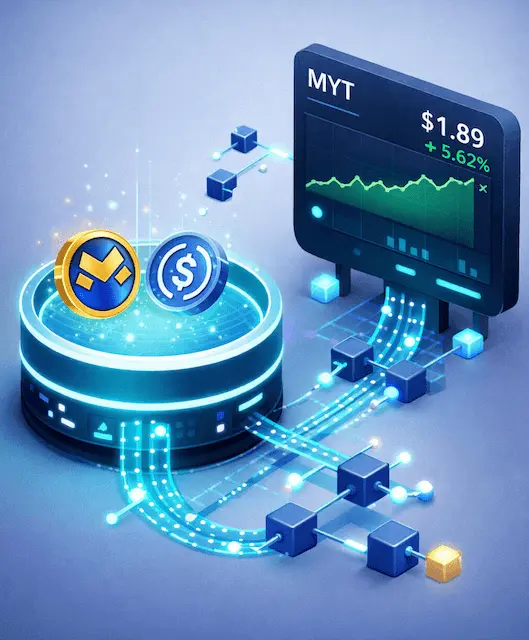
Founders frequently misunderstand how live pricing actually works. An application displays a price because it derives that value from trusted market systems. If your project lacks a credible market, you will never secure a reliable price feed.
To fix the OKX Wallet token price not showing problem, you must build a liquid pool on a widely supported routing path. The pool must be deep enough to generate accurate quotes. Furthermore, you must prefer stable and obvious base pairs. Pairing your asset with USDC, USDT, WETH, or native network coins makes valuation calculations substantially easier.
You must also avoid fake volume. Wash trading and inorganic market activity do not build durable recognition. Pricing algorithms require a healthy market structure. Therefore, you should actively pursue coverage from major third-party crypto aggregators. A project with visible contract data, real decentralized exchange liquidity, and broad aggregator coverage is exceptionally easy for systems to classify.
How to Remove Risky Token Flag in OKX Wallet
Discovering a massive security warning on your project is terrifying. However, you must stay calm. There are three distinct types of risk flags, and you must identify yours before attempting to remove risky token flag in OKX Wallet.
The first type is an on-chain address flag. This happens when an upstream intelligence provider marks your address due to suspicious associations. To fix this, you must contact the originating security provider directly with evidence of your legitimacy.
| Type of Risk Flag | Common Causes | Required Action |
|---|---|---|
| On-Chain Address Flag | Upstream intelligence marked the address for suspicious associations. | Contact originating security provider directly with proof of legitimacy. |
| DEX Honeypot Warning | Trade simulations fail; excessive taxes, hidden blacklists, restricted selling. | Migrate to a clean smart contract if actual honeypot code exists. |
| Weak Metadata Transparency | Unverified source code, hidden proxies, tiny liquidity, missing branding. | Verify code, update profiles, lock liquidity, and submit appeal with audit. |
The second type is a decentralized exchange honeypot warning. This occurs when trade simulations fail. If your asset features excessive taxes, hidden blacklists, or broken selling logic, the system will flag it. If your code genuinely behaves like a honeypot, you cannot appeal. You must migrate to a clean smart contract.
The third type involves weak metadata transparency. If you leave your source code unverified, hide your proxy implementation, or operate with anonymous infrastructure, systems will treat you conservatively.
To appeal a false positive, make your contract transparency absolute. Prove the asset is easily sellable by providing real transaction hashes. Remove all suspicious tokenomics. Strengthen your market legitimacy with locked liquidity and multi-signature treasuries. Finally, obtain an independent security audit. Submit this comprehensive evidence package through official review channels.
Validating Your OKX Wallet Custom Token Integration
Do not publicly announce your OKX Wallet token integration simply because you deployed a smart contract. You must validate the integration first. If you have developers on your team, they should check specific data endpoints.
First, validate your project information. Query the system to ensure your official website, social links, and correct decimals populate. If this data is missing, your identity layer remains weak. To do this, you will need your specific network identifier. For example, use chain index 1 for Ethereum, 56 for BNB Smart Chain, or 501 for Solana.
Next, check the OKX Wallet token discoverability and pricing. Query the current price and real-time price endpoints. If the query returns nothing, your market layer is failing.
Finally, validate your swap quote health. Ensure the routing path exists, the asset unit price is accurate, the honeypot flag returns false, and the tax rates match your expectations. Only after passing these technical checks should you test the actual mobile application user interface.
| Blockchain Network | Chain Index Identifier | Notes for API Query |
|---|---|---|
| Ethereum | 1 | Standard EVM mainnet identifier. |
| BNB Smart Chain | 56 | Use for all BEP-20 token validations. |
| Solana | 501 | Non-EVM; relies on SPL/Metaplex standards. |
Conclusion: Managing OKX Wallet Token Discoverability
Ultimately, learning how to add token to OKX Wallet requires dedication. You are essentially performing three distinct jobs simultaneously. The first is an identity job to make the project recognizable. Next comes a market job to make the asset priceable. Lastly, developers must execute a trust job to prove the protocol is safe.
So, if you only complete the smart contract deployment, your user experience will remain completely broken. The shortest path to success involves strict transparency. Verify your proxy structures, publish pristine metadata, and update major explorer profiles immediately. Furthermore, you must build authentic liquidity on supported decentralized exchanges.
By following this ultimate guide, you can eliminate the frustrating token not showing in OKX Wallet errors. Also, you can fix missing logos, ensure live pricing displays beautifully, and protect your brand from devastating risk warnings. Take these steps seriously, validate your data constantly, and your Web3 project will thrive. Would you like to review your current smart contract deployment checklist next?
FAQ
Q: Why is my token not showing in OKX Wallet after deployment?
A: Simply deploying a contract is not enough. To make token visible in OKX Wallet, you must also provide indexed metadata, verify your source code, and establish real market liquidity.
Q: How do I fix the OKX Wallet token logo not showing issue?
A: You must ensure your logo is hosted on a stable URL and correctly linked within your block explorer profile or native metadata JSON file.
Q: How do I show live price in OKX Wallet for a new crypto?
A: You must create a deep liquidity pool paired with a major asset like USDC or ETH on a widely recognized decentralized exchange. Pricing algorithms require a real, active market to generate quotes.
Q: Can I add a custom token to OKX Wallet manually?
A: Yes. Users can import token contract address to OKX Wallet manually. Additionally, developers can use a watch asset feature to prompt users to add the asset automatically.
Q: How can I remove risky token flag in OKX Wallet?
A: You must prove your project is secure. Verify all smart contract code, remove suspicious taxes or hidden blacklists, lock your liquidity, and submit a comprehensive appeal with an independent security audit.