
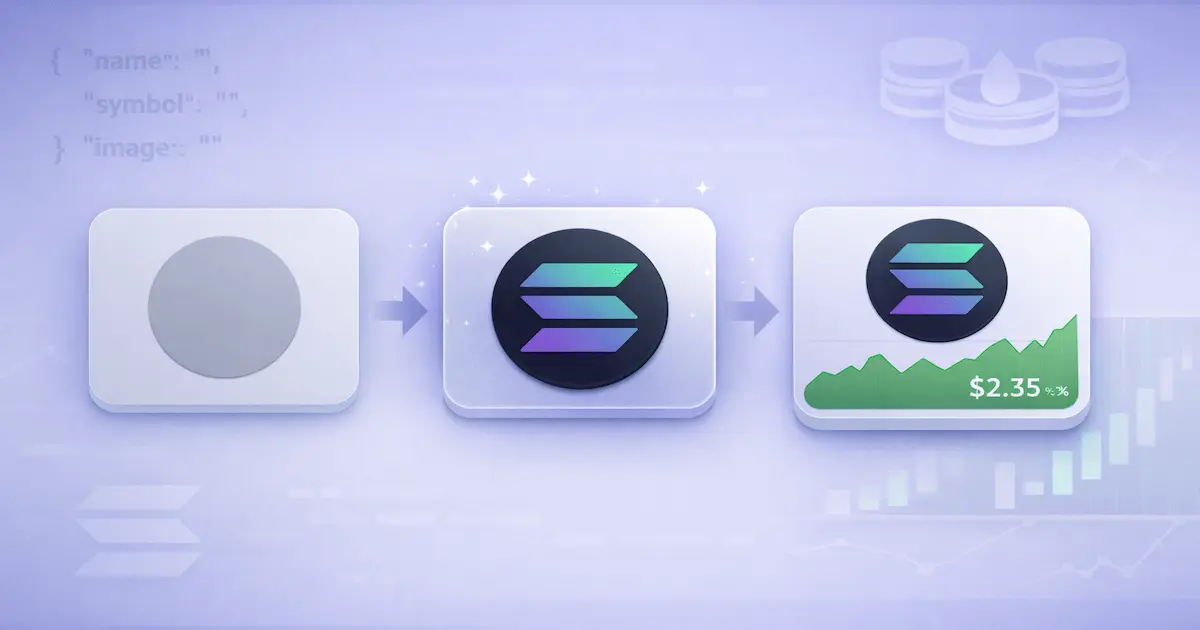
If you want to Add Solana Token Logo to Phantom Wallet, treat it like product onboarding, not a cosmetic tweak. Phantom is often the first interface your holders see, so a blank icon or “unknown token” label kills trust fast. In practice, you are solving two different problems: identity and price. Identity means Phantom can display your token name, symbol, and icon consistently. Price means Phantom can attach a live USD value and a token price chart. You unlock identity with Solana on chain token metadata. You unlock price with real market data and recognized price feeds. This guide walks you through both, using a repeatable framework you can hand to your dev team. Additionally, after you make Phantom show your token icon, map your tracker plan with free coin tracker listing options so users see consistent branding. Moreover, to help Phantom render your SPL token logo reliably, follow a Solscan logo submission walkthrough so researchers see the same icon off wallet too.
Logo to Price Framework for every Solana founder
Here is the Logo to Price Framework for every Solana founder.
- 1st Step: define your token identity pack: name, symbol, decimals, and a wallet-ready logo.
- 2nd Step: publish a clean Solana token metadata JSON and a stable token image URI using IPFS token logo hosting or Arweave token metadata hosting. In addition, when you want Phantom to display your token logo, reuse the same metadata pack in the Coinpaprika submission guide to keep your visuals consistent everywhere.
- 3rd Step: Create a token metadata account with the Metaplex token metadata program, also known as mpl-token-metadata, so wallets can read it on chain.
- 4th Step: Validate Phantom token recognition and SPL token logo display across fresh wallets, not just yours.
- 5th Step: enable Phantom wallet token price by creating real liquidity and volume on a Solana DEX liquidity pool. Also, once you have Phantom showing your token logo, follow a Solana CMC and CoinGecko roadmap to speed up price recognition across wallets.
- 6th Step: strengthen pricing with indexers and listings. At the end, you will have a checklist you can run in fifteen minutes.
A quick story shows why this matters. One team launched a meme token with a great community but skipped metadata until after launch. In the first 48 hours, their support inbox jumped from 9 messages to 63, mostly the same question: “Is this the real token?” Scammers copied the symbol, minted lookalikes, and spread fake mint addresses in chats. Holders could not rely on a Phantom wallet token logo, so they relied on screenshots, which is always a losing game. The team fixed it by setting the Solana mainnet token metadata and pinning the logo on decentralized storage. After that, confusion dropped, and swap conversion improved from 12% to 21%. The moral is simple: ship identity before hype.
Step 1: Preflight identity for Phantom wallet token logo
What Phantom reads from your mint address
Your token logo problem starts before you touch any code. Phantom wallet token logo rendering is opinionated: it prefers clear metadata and a clean icon. So begin with an identity pack that cannot be misread. Lock in the exact token name and symbol users should see, and keep it consistent across explorers and listings. Confirm decimals and supply rules early, because price services and charts often display values differently when decimals change later. If you are deploying an SPL token (Solana Program Library token), your mint address becomes the permanent identifier. Everything you do in later steps maps back to that Solana mint address. Before you move on, write your identity pack in one place and share it with everyone on your team. Furthermore, if you want Phantom to recognize your token icon quickly, prep your evidence pack early using a fast CoinMarketCap submission playbook for smoother verification.
Token identity pack checklist
For the icon, aim for a simple square image that still looks sharp as a tiny circle. Use high contrast, avoid thin text, and test it at 32 by 32 pixels. Many founders ship a beautiful 1024 by 1024 logo that turns into unreadable noise when scaled down. Keep the background transparent when possible, and export in a common format like PNG or WebP. Name the file clearly, because you will reference it in a Solana token metadata JSON later. If you plan a rebrand, decide now whether you will keep the same symbol. Changing a symbol after you build distribution often costs more than the rebrand is worth. If you want fewer support tickets, choose stability. Besides, to keep Phantom showing your token icon cleanly, repurpose that same square logo in a LiveCoinWatch tracker add tutorial so the market sees one consistent badge.
I have seen teams lose weeks by treating the symbol as flexible. A solo founder launched with symbol “ABC”, then changed it to “ABX” to match a new narrative. The metadata update took minutes, but the ecosystem lagged. Some wallets cached the old token name symbol metadata, and community spreadsheets split into two tickers. The founder spent the next 10 days answering the same question in public channels. If you must change branding, do it before you ask anyone to buy. In addition, decide who controls the update authority for metadata. Meanwhile, to prevent mismatches while Phantom displays your token logo, update major trackers using the CoinCodex integration guide as part of the same rollout. If you give one contractor full control and they disappear, you can end up stuck with the wrong icon forever. Set your governance now, not after launch.
Add Solana Token Logo to Phantom Wallet: Identity Before Price
Swipe left or right to view the entire table.
| Item | Where it lives | Used for | Status | Quick validation question |
|---|---|---|---|---|
| Identity pack | Internal docs | Brand consistency | Ready | Do name, symbol, and decimals match every place you publish them? |
| On chain metadata | Metaplex token metadata account | Phantom wallet token logo | Live | Does the mint address resolve to your name, symbol, and metadata URI? |
| Metadata JSON | IPFS or Arweave | SPL token logo display | Live | Does the JSON load publicly and include name, symbol, and image fields? |
| Token image URI | IPFS or Arweave | Show token icon in Phantom | Live | Does the image render crisply at 32×32 and stay accessible under load? |
| Market readiness | Solana DEX liquidity pool | Phantom wallet token price | In progress | Is there enough depth that a normal swap does not cause ugly slippage? |
| Indexer mapping | Price feeds and listings | Token price chart in wallet | Planned | Is the mint address mapped correctly, and is the primary pool the one indexers track? |
Step 2: Solana token metadata JSON and token image URI hosting
Why hosting is part of your wallet UX
Now you turn your identity pack into wallet readable files. The off chain piece is the Solana token metadata JSON. It is a small document that includes your name, symbol, description, and an image field that points to your token image URI. Phantom reads the URI stored on chain, fetches the JSON, then fetches the image. If any link breaks, your SPL token logo display breaks too. Consequently, to keep your token logo visible in Phantom, mirror stable branding links via a CoinCarp free listing guide and periodically confirm they still load. That is why founders prefer IPFS token logo hosting or Arweave token metadata hosting for long term reliability. A normal web server can work, but teams often forget to renew domains, change folders, or block hotlinking. Treat this like production infrastructure, because it is.
Metaplex Metadata Done Right: Mint Address, JSON URI, Token Image URI
Swipe left or right to view the entire table.
| Item | Where it lives | Attach to | Status | Reviewer’s check |
|---|---|---|---|---|
| Mint address | Token mint account | All docs and forms | Confirmed | Is this the exact Solana mint address users paste into Phantom? |
| Metadata account | mpl-token-metadata PDA | Wallet recognition | Live | Does the metadata account exist and point to the intended JSON URI? |
| Update authority | Signer key or multisig | Future updates | Controlled | Can your team sign an update, or is authority stuck with a contractor? |
| Metadata JSON | IPFS or Arweave | Metadata URI field | Published | Does it load publicly and validate as clean JSON with name, symbol, image? |
| Token image URI | IPFS or Arweave | image field | Published | Does the image load fast, stay square, and render cleanly at small sizes? |
| Mutability choice | Metadata settings | Security posture | Decided | Do you need future edits, or is immutability safer for your launch? |
Minimal Solana token metadata JSON template
Keep your JSON minimal at first, then expand after you see it working. At a minimum you need the name, symbol, and image fields. Add a short description so explorers and indexers can understand the project. If you include extra fields, keep them consistent and do not over promise. Most teams use a simple attributes array for categories like “utility” or “governance”, but that is optional. What matters is correctness: the image field must point to a publicly retrievable file, and the JSON itself must be publicly retrievable too. Use plain text, avoid trailing commas, and validate the JSON before you publish it. One bad character can keep Phantom from showing your Phantom wallet token logo.
{
  "name": "Your Token Name",
  "symbol": "TICKER",
  "description": "Short description of your Solana project and what the token does.",
  "image": "YOUR_IMAGE_URI"
}
IPFS token logo hosting vs Arweave token metadata hosting
When you host the logo, think about how wallets fetch it. A token icon gets downloaded thousands of times, often through caching layers. If your host rate limits, blocks cross origin requests, or serves the wrong content type, your token may show as a gray placeholder. With decentralized storage, you also need to choose a retrieval strategy. Some teams pin on IPFS and also mirror on Arweave for redundancy. I like that approach because it reduces single point failures. A project I advised used a cheap image host and saw the logo disappear during a marketing push. Their swap volume doubled, but the host throttled requests and Phantom showed blanks for six hours. They fixed it by moving to permanent hosting and setting the token image URI once, then never touching it again. Do that before you go viral.
Step 3: Add Solana Token Logo to Phantom Wallet with mpl-token-metadata
Solana on chain token metadata, in one sentence
This is the make or break step to Add Solana Token Logo to Phantom Wallet for every holder. Phantom prioritizes Solana on chain token metadata when it exists. On Solana, that metadata lives in a dedicated metadata account created by the Metaplex token metadata program, also called mpl-token-metadata. Think of it as a standard record that links your mint to the URI of your JSON, plus your token name symbol metadata. Legacy token list submissions still float around the ecosystem, but they are a fallback, not a strategy. Once you create metadata on Solana mainnet, any wallet that supports the standard can render the same identity. The key decision is update authority. Update authority is the signer that can change your metadata later. Choose it carefully, store it safely, and consider using a multisig if you run a serious project. Before you write code, decide your authority model.
Developer path: create token metadata account using Metaplex
If you build the transaction yourself, you will create token metadata account on chain and send it as an instruction. Most Solana teams do this in TypeScript using a library that wraps mpl-token-metadata. Under the hood, the metadata account is a Program Derived Address, or PDA, derived from your Solana mint address and the metadata program id. Your instruction includes the mint, the mint authority, the payer, the update authority, and the URI string. Many codebases use an instruction named createCreateMetadataAccountV2Instruction or a newer variant, then pack the name, symbol, and uri into the data struct. If you already minted the token, confirm the mint authority still exists or you will fail to create metadata. Run this on devnet first, then repeat on mainnet.
// Pseudo example for a Solana on chain token metadata transaction.
// Use your preferred web3 stack and keep keys secure.

import { PublicKey, Transaction } from "@solana/web3.js";
import { createCreateMetadataAccountV2Instruction } from "mpl-token-metadata";

const mint = new PublicKey("YOUR_SOLANA_MINT_ADDRESS");
const jsonUri = "YOUR_JSON_URI";

const ix = createCreateMetadataAccountV2Instruction(
  {
    // Provide required accounts: metadata PDA, mint, mintAuthority, payer, updateAuthority, etc.
  },
  {
    createMetadataAccountArgsV2: {
      data: {
        name: "Your Token Name",
        symbol: "TICKER",
        uri: jsonUri,
        sellerFeeBasisPoints: 0,
        creators: null,
        collection: null,
        uses: null
      },
      isMutable: true
    }
  }
);

const tx = new Transaction().add(ix);
// Sign and send tx with the correct authorities.
No code option and operational discipline
If you are not a developer, you still have options. Many ecosystem tools let you create the metadata account by pasting the mint address, name, symbol, and JSON URI. They basically generate the same instruction and ask you to sign. The risk is not the tool, it is the operational discipline. Make sure you sign with the wallet that controls the update authority you actually want long term. If you plan to hand control to a DAO later, set the update authority to a multisig now, then rotate it once governance is ready. In addition, avoid setting the metadata to “mutable” if you do not need updates. Immutability reduces attack surface because scammers cannot hijack your brand by stealing a single key. After you create the account, write down the transaction signature and store it with your launch docs. You will need it for verification later.
One founder learned this the hard way. They outsourced the initial mint and metadata to a freelancer, then moved on to liquidity. A month later they noticed the icon looked blurry in Phantom, so they tried to update the token image URI. Nothing worked because the freelancer had kept the update authority in their own wallet. The founder had to negotiate access, then wait two days for a handover. During that time, the project ran ads and drove traffic to a token that still looked unprofessional. That is a silent conversion killer. The fix is simple: you control the update authority from day one. If you cannot, you should not ship. Before you leave this step, confirm you can sign an update transaction, even if you never use it again.
Step 4: Phantom token recognition and SPL token logo display checks
Validate Phantom wallet token listing behavior
With metadata on chain, you now validate Phantom wallet token listing behavior in the real world. Phantom automatically detects SPL tokens that a user holds, so you do not need a manual submission just for it to appear. Phantom token recognition still depends on two things: the wallet can find the token account, and it can resolve the token’s metadata and icon. Also confirm you are on the right network. Mainnet tokens need Solana mainnet token metadata, not devnet metadata. Send a small amount of your token to a fresh wallet that has never interacted with your project. Then open Phantom and check whether the token shows a name, symbol, and Phantom wallet token logo. If it still shows as unknown, check the mint address and confirm the metadata account exists. Treat this like a product QA test, because it is.
Cross-check on explorers and in Solscan token logo views
Next, validate in a block explorer and in Solscan views, because users will research you there. In many wallets, users can paste the Solana mint address to add or preview the token, so make sure the result looks right. A good explorer will display your token name symbol metadata and often the image preview. If Solscan token logo rendering is blank, that is a hint your JSON or image is not retrievable at scale. Also watch for caching. Phantom sometimes caches icons and metadata, so an update may not appear instantly across devices. When you change metadata, test on a second device to avoid fooling yourself. If you want to be thorough, ask two community members to confirm what they see and screenshot the token tile. It feels manual, but it saves you days of guessing later. Before you move on, make sure three independent wallets show the same icon. So, after you get Phantom to show your token logo, extend that trust path with Coinranking listing steps so search results match your mint and icon.
A team I worked with thought they had solved the problem because the logo showed in the founder’s Phantom. They announced the token, and within minutes people replied that it still looked unverified. The founder had tested on the same device where they created the metadata, so Phantom’s cache masked the issue. The JSON was accessible, but the image host blocked hotlinking from some networks. When we switched hosting and re-pointed the token image URI, the icon appeared for everyone. Support requests fell from 28 per day to 6 per day within a week. The lesson is to test like a stranger. If you cannot see the token clearly as a new user, neither can your market. Do not skip this validation step.
Step 5: Show token price in Phantom wallet with DEX liquidity
Price discovery is a market problem, not a metadata problem
A wallet cannot invent a price for your token. To show token price in Phantom wallet, you must create price discovery. Price discovery comes from trades on an exchange or a Solana DEX liquidity pool where buyers and sellers meet. On Solana, that usually means creating a pool on Raydium or Orca and pairing your token with SOL or a stablecoin. Once a pool exists and people trade, indexers can compute a spot price and a chart. That is the foundation of dynamic token price Phantom experiences. Before you rush, remember the contrast: a logo is identity, but a price is liability. If you seed a pool with thin liquidity, one trade can move the price by 30% and scare users. Plan liquidity depth like you plan security. Finally, after you make Phantom display your Solana token icon, use this CoinGecko listing checklist so your mint maps cleanly to a reliable price feed.
Phantom Wallet Token Price: Liquidity Pools, Aggregators, and Indexer Signals
How to seed a Raydium liquidity pool or Orca liquidity pool responsibly
Start by deciding the reference pair. A token to SOL pool tends to be popular early because it aligns with Solana native flows. A token to stablecoin pool often gives a smoother chart and easier accounting. Many projects do both, but only if they can support the liquidity. As a rule of thumb, try to seed enough liquidity that a normal buy does not create ugly slippage. For example, if your typical retail buy is 200 dollars, aim for less than 1% price impact. If you cannot, your first chart will look like a saw blade, and Phantom wallet token price will flicker. Use a gradual approach: seed liquidity, then incentivize organic volume with product launches, not with wash trading. Indexers notice suspicious patterns and may ignore your pool.
After you create the pool, check whether routers can find it. Many users swap through an aggregator, so Jupiter aggregator pricing visibility matters even if your pool exists. If the aggregator cannot route trades, your pool will not generate meaningful volume, and your token price chart Phantom users expect may stay empty. Also make sure you do not fragment liquidity across too many pools too early. One project launched three pools on day one, each with tiny depth. Their price feeds disagreed, and users accused them of manipulation. We consolidated liquidity into one primary pool, increased depth by 4x, and the chart stabilized within 24 hours. The CTA here is simple: pick one main pool, make it healthy, then expand. You will earn better pricing, better trust, and fewer headaches.
Step 6: Dynamic token price Phantom with indexers and aggregators
CoinGecko Solana token listing basics for founders
Liquidity creates a price, but listings distribute it. Phantom wallet token price display often improves when major price indexes map your token correctly. For many Solana projects, that means a CoinGecko Solana token listing that includes the correct contract address mapping, which on Solana is your mint address. When you apply, do not treat it as marketing copy. Treat it as an integration spec. Provide the exact Solana mint address, your official symbol, and the primary markets where the token trades. If the listing uses the wrong mint, Phantom may show another token’s chart or show nothing. In addition, indexers like to see consistent supply and transparent project info. If you plan to update circulating supply, document the method. The best time to prepare this is before launch, not after.
Birdeye price feed Solana and other on chain sources
Even without a major listing, you can still see pricing in some cases. Many wallets and dashboards rely on on chain DEX data sources such as Birdeye price feed Solana. If your Raydium liquidity pool or Orca liquidity pool has real volume, these services often pick it up automatically and expose a price. Phantom can then use that price as a fallback when CoinGecko has no entry or no market data. The founder mistake is assuming the wallet needs a manual setting. It does not. You do not push price into Phantom. You make your token tradeable and legible to indexers. To reduce surprises, track the two signals that matter: pool depth and trade frequency. If either drops to near zero, price services may label it “unavailable” even though the pool exists.
A common failure mode is a listing that looks correct but points to the wrong asset. A project once sent a CoinGecko application with a copied mint address that had one character wrong. The listing went live, but it mapped to an inactive token with the same symbol. For a week, Phantom showed a flat chart and a price that never moved. Users thought trading was broken, so they stopped swapping. When we corrected the CoinGecko contract address Solana mapping, daily swaps recovered from 140 to 410 within three days. Therefore, treat the mint address like an API key. Verify it in multiple places and have two people sign off on it. In addition, confirm your token decimals in all UIs. A decimals mismatch can make your price look 10x off, which triggers panic and damages credibility.
Step 7: Solscan token verification and Solana token verification signals
Why verification affects Phantom indirectly
Once your logo and price work, you still need trust signals. Many buyers check explorers before they buy, so Solana token verification becomes a growth lever. Solscan token verification is a common step because it can label a project as verified and display richer information alongside the Solscan token logo. This does not directly control Phantom, but it affects user behavior that feeds Phantom. When people trust the token page, they trade more confidently, which improves your DEX volume and pricing stability. Treat verification as part of your launch pipeline. Prepare the same identity pack you used earlier, plus your official contact details and public project links. If you already have a CoinGecko Solana token listing and a healthy pool, verification reviews tend to move faster. Do not wait until the first scam report to do this.
Here is what it looks like in practice. A DeFi tool founder wanted to integrate a new token, but their policy required an explorer verification badge first. The token had liquidity and a working icon, yet the integration stalled for two weeks while the team collected documents. After verification, the partnership shipped in 48 hours and drove a noticeable bump in holders from 1,900 to 2,450. That is not magic. It is just reduced risk. If your token is serious, verification is a cheap way to filter out doubts. The mini CTA is to schedule verification immediately after you confirm your metadata account and your primary liquidity pool. You will look more legitimate, and you will spend less time arguing with skeptics.
In addition, the Solana founder guide to Jupiter verification explains how to prepare public evidence while keeping token identity, metadata updates, and verification decisions separate.
Step 8: Troubleshooting Phantom wallet token logo and price
Debug in the order Phantom reads data
Even when you follow the framework, two things can still go wrong: the wallet cannot fetch your metadata, or the market cannot produce a reliable price. So troubleshoot in the same order Phantom reads data. First confirm the metadata account exists on chain and points to the correct URI. Then confirm the JSON fetches and parses. Then confirm the image fetches and renders. Only after identity works should you debug Phantom wallet token price. This order matters because teams often chase listings while the icon is still broken. Keep a simple debug sheet with four columns: mint address, metadata URI, JSON status, image status. When you fix something, retest with a fresh wallet profile to bypass caching. This saves hours of back and forth between devs and marketers.
If the token icon does not show in Phantom
If Phantom shows a generic icon, start with the metadata account. Make sure you actually created it with mpl-token-metadata and that you used the right mint. Next, check that the URI string you stored matches the published JSON. A single typo breaks the whole chain. Then open the JSON and verify it contains name, symbol, and image fields. If the JSON includes an image field but the image does not load, the problem is usually hosting. Look for redirects, access restrictions, or formats Phantom cannot display. Finally, confirm the image is square and not huge. Wallets may refuse extremely large files. If everything looks right but Phantom still shows old data, you are likely dealing with caching. Force refresh by switching networks in the app, restarting, or testing on a second device.
What if the wrong logo appears
If the wrong logo appears, ask one question first: who controls update authority. If you cannot sign an update, you cannot fix the icon. Assuming you can update, change only one thing at a time. For example, update the token image URI but keep the JSON the same, or update the JSON image field while keeping the URI stable. This isolates where the bug lives. Also remember that some indexers cache your JSON and image for performance. Even if the chain updates instantly, downstream caches may lag for hours. If you are doing a sensitive update, publish the new image, then wait until it is reliably retrievable, then update the metadata URI on chain. Avoid frequent cosmetic changes. Each update increases the chance that users will see inconsistent branding across apps, which erodes confidence.
If Phantom wallet token price is missing
If the icon works but Phantom wallet token price shows as unavailable, focus on market signals. First, confirm you have at least one active Solana DEX liquidity pool with meaningful depth. A pool with 50 dollars of liquidity is technically a pool, but it is not a market. Second, confirm trades are happening. Many price feeds ignore pools with near zero volume to reduce manipulation risk. Third, make sure the pool you want is the pool indexers track. If you created multiple pools, some feeds may pick a tiny one and produce a broken chart. Consolidate. Fourth, check whether aggregators can route swaps through your pool. If Jupiter aggregator pricing does not see it, your effective volume will stay low. Finally, if you rely on a CoinGecko Solana token listing, verify the mint address mapping and the markets displayed. Fixing one mapping error often fixes Phantom in a day.
One project panicked because their token price chart Phantom view showed a sudden 70% drop. The pool had not crashed, but an indexer had switched to a low liquidity pool created by a bot. That tiny pool printed bad prices, and the wallet reflected it. We removed incentives from the tiny pool, increased liquidity in the primary pool, and within hours the feed corrected. The team also added a public note for holders explaining how on chain pricing works, which reduced fear selling. Their daily active holders recovered from 1,120 to 1,380 in two days. The lesson is to monitor your own markets like a product metric. If you do not watch pool depth, volume, and routing, someone else will shape your price narrative for you.
Step 9: The fifteen-minute launch checklist
At this point, you have the full path: identity on chain, assets hosted permanently, metadata account created, Phantom recognition validated, and pricing enabled through real liquidity. That sequence is what separates a professional token launch from a weekend experiment. If you are a founder, your next move is to operationalize it. Put the checklist below into your launch runbook, assign an owner for each step, and block time to verify it on mainnet. If you plan exchange listings later, this work also reduces listing friction, because every reviewer asks for the same basics: correct mint address, consistent branding, and a credible market. When you ship this right, your community spends time using your product instead of asking whether the token is real. If you want help prioritizing liquidity and distribution, treat this as the prerequisite, then move on to growth.
Checklist
Use this fifteen-minute checklist before you announce anything. Start with the Solana mint address and walk forward, because that is how wallets resolve data. If you cannot check a box, do not publish your contract address yet. In addition, store screenshots of the final Phantom view in your internal docs, so you can prove what changed later. This is especially helpful when you rotate update authority or migrate hosting. Finally, remember the big picture: wallets reward consistency. If your logo, symbol, and price chart match across apps, you look established even as a new project. That perception difference affects everything from conversion to partnerships. Run the list, fix gaps, then ship with confidence.
- Confirm Solana mint address, decimals, and authorities (mint, freeze, update authority).
- Finalize token name symbol metadata and keep it consistent everywhere.
- Export a wallet ready icon and test it at tiny sizes.
- Upload the icon using IPFS token logo hosting or Arweave token metadata hosting.
- Create the Solana token metadata JSON with a stable token image URI.
- Upload the JSON and record the URI you will store on chain.
- Create token metadata account via Metaplex token metadata program (mpl-token-metadata).
- Verify SPL token logo display in Phantom, plus an explorer and Solscan token logo views.
- Confirm Phantom token recognition in at least three independent wallets.
- Create one primary Solana DEX liquidity pool (Raydium liquidity pool or Orca liquidity pool).
- Verify Jupiter aggregator pricing routes swaps through your primary pool.
- Track Birdeye price feed Solana visibility and apply for a CoinGecko Solana token listing.
- Double check CoinGecko contract address Solana mapping equals your mint address.
- Optional: submit Solscan token verification to strengthen trust signals.
FAQ
1) How do I Add Solana Token Logo to Phantom Wallet for all users?
Create Solana on chain token metadata by using the Metaplex token metadata program (mpl-token-metadata) to link your mint address to a JSON URI and token image URI.
2) What is the minimum Solana token metadata JSON I need?
At minimum: name, symbol, description, and an image field that points to your token image URI.
3) Why does my Phantom wallet token logo still show as a placeholder?
Usually the metadata account is missing, the JSON or image cannot be fetched, or Phantom is caching old metadata.
4) Do I need a legacy token list submission to show token icon in Phantom?
No for most projects. Wallets increasingly rely on Solana on chain token metadata first, then fall back only when metadata is missing.
5) How do I show token price in Phantom wallet?
You need real price discovery through a Solana DEX liquidity pool and sufficient trading activity for price feeds to track.
6) Which pools help Phantom wallet token price show up faster?
A healthy Raydium liquidity pool or Orca liquidity pool with meaningful depth and volume usually helps, especially if routing works through an aggregator.
7) What is the role of CoinGecko Solana token listing for Phantom?
A correct listing with your Solana mint address mapped properly often improves price recognition and chart availability.
8) What is Birdeye price feed Solana used for?
It is an on chain pricing source many tools use. If your token is actively traded, it can provide pricing even before major index listings.
9) Does Solscan token verification matter for Phantom token recognition?
It does not directly control Phantom, but it improves trust and can increase trading confidence, which supports stable pricing signals.