
If you’ve already launched a TRC20 token, you’ve probably opened TronLink, searched for it, and… nothing. Maybe users can add it manually by contract address, but there’s no logo and the price field shows a depressing “–”. In this guide, you’ll learn exactly how to list TRC20 token on TronLink so holders see your project’s name, logo, and real‑time price directly in their wallet.
To make this actionable, we’ll use a three‑step TLP Framework: TronScan identity, Liquidity on exchanges, and Price via CoinMarketCap. First you’ll lock in your token’s metadata in the TRC20 token registry on Tron, then you’ll secure real markets on DEXs and CEXs, and finally you’ll connect those markets to TronLink’s price feed. By the end, your token should feel like a “real asset” inside TronLink, not an anonymous contract.
The TLP Framework for TronLink Token Visibility
Before diving into screens and forms, it helps to have a mental model. The TLP Framework says your TRC20 project climbs three rungs on the TronLink Visibility Ladder. Moreover, to List TRC20 Token on TronLink as part of a larger growth engine, you can borrow funnel ideas from this comprehensive crypto success playbook.
- Step 1 – Identity: TronScan knows who you are, including logo, symbol, and verified metadata.
- Step 2 – Liquidity: at least one real trading pair exists on a tracked Tron DEX or centralized exchange.
- Step 3 – Price: CoinMarketCap (and optionally CoinGecko) index your markets so TronLink can show your token’s price.
Founders often try to jump straight to price by asking, “Why is my TronLink price not showing?” But TronLink’s wallet UI is only the final layer on top of a token registry, explorer listing, and market data. If you follow the TLP order instead of fighting the system, you’ll save weeks of back‑and‑forth with support teams and confused community members asking why their balance has no value.
Step 0: Sanity-Check Your TRC20 Contract
Before you touch TronLink token visibility settings, validate the basics of your TRC20 contract. Double‑check the token name, symbol, and decimals on a TRON explorer and confirm they match how you want the brand displayed. If you change branding later, you’ll fight confusion across TronScan, TronLink, trackers, and exchanges. It’s better to get it right now.
Next, send a small amount of your token to a fresh TronLink wallet and try a manual TronLink token addition. Use “add custom token to TronLink”, paste the contract address, and check that TronLink reads the name, symbol, and decimals correctly. This is your smoke test: if TronLink can’t parse basic TRC20 fields from the contract, you need to fix the smart contract or redeploy before worrying about listings.
How TronLink Token Visibility Actually Works
If you don’t understand how TronLink decides what to show, it’s easy to blame the wallet when your data doesn’t appear. Under the hood, TronLink keeps a curated list of tokens it trusts. It auto‑displays a few major assets like TRX, while other TRC20 tokens stay hidden by default to block spam and scam airdrops. Your job as a founder is to move your asset from “unknown” to “trusted” in this internal token list.
By default, most new TRC20 assets require TronLink manual token addition: users tap the plus icon in the Assets tab, paste your contract, and toggle the token on. That’s fine while you experiment, but it doesn’t scale when you have thousands of holders. To make a TRON token visible in TronLink by just searching its name, you must feed accurate TronScan token metadata into the ecosystem and then attach reliable price data via trackers that TronLink reads.
Why Your TRC20 Token Price Shows a Dash in TronLink
The “unknown price dash” is one of the most common complaints from TRC20 project founders. TronLink simply shows “–” for assets where it can’t fetch a trustworthy quote. The reason is straightforward: TronLink relies on external market data, not on custom or self‑reported prices from projects. If no recognized price exists, the dash stays.
Practically, this means you can have perfect branding and a verified TRON token logo in TronLink, but still no price. Until your token trades on an exchange that token trackers support, and until those trackers add your asset, TronLink has nowhere to pull a quote from. That’s why the TLP Framework puts liquidity and exchange listing before price. Without active markets, even the best wallet UI can’t help.
TronScan: The TRC20 Token Registry Behind TronLink
Think of TronScan as the TRC20 token registry on Tron. It’s the canonical place where the network collects token name, symbol, logo, description, and project links. TronLink, other wallets, and many dApps read from this registry to identify tokens in their interfaces. So if you want clean branding everywhere, you start by treating TronScan as your public source of truth.
When you perform a TronScan token listing, you’re not just creating a pretty explorer page. You’re telling the entire TRON ecosystem, “This contract address equals this brand.” Once that’s in place and verified, TronLink can safely show your title, ticker, and logo when users search, rather than leaving them to guess which contract is real among several look‑alikes. For a serious TRON project founder, this step is non‑negotiable. In addition, once you rely on that registry to List TRC20 Token on TronLink, you should also think about multi‑wallet coverage using this cross‑wallet discovery checklist.
Step 1 – Register and Verify Your TRC20 Token on TronScan
The first formal rung on the TronLink Visibility Ladder is TronScan token verification. You’ll connect the owner wallet, complete the TronScan token info form, upload branding, and submit for review. Once approved, your TRON token explorer listing becomes the backbone for how TronLink and other tools recognize your project.
Start by preparing your data. You’ll need the token contract address, project name, ticker, and decimals. On top of that, gather your logo, a concise description, and links to your official website and social channels. Treat this as a mini brand kit. Any inconsistency here will ripple into TronLink, coin trackers, and listings later.
Swipe left or right to view the entire table.
| Item | Where you set it | Impact in TronLink | Status | What reviewers look for |
|---|---|---|---|---|
| Owner wallet | Login to TronScan with the deployer/admin address | Proves you're authorised to edit metadata | Must match contract | Does the connected wallet control the TRC20 contract or token owner? |
| Token logo | Logo field in the “Add / Edit token” form | Becomes the icon shown in TronLink | Square, crisp | Is the image square, high‑contrast, and readable at tiny wallet sizes? |
| Name & symbol | Contract + TronScan metadata overrides | Label in wallets, dApps and explorers | Consistent | Are name/symbol unique enough and identical across contract, TronScan and docs? |
| Project website | Website / homepage field | Clickable source of truth for users | Online | Is the site live, professional, and clearly tied to the token and contract? |
| Markets | “Existing markets” section | Signals that the token is actually tradable | At least one pair | Can reviewers verify the DEX/CEX pairs and see real trades and depth? |
Connecting the Correct Owner Wallet
TronScan expects that the person updating token info has real authority over the contract. In practice, that usually means the wallet that deployed the TRC20 contract or another admin wallet with clear on‑chain rights. Before you initiate a TronScan token listing, confirm which address actually performed the deployment and still controls the token owner functions, if any.
Then, use TronLink to connect that owner wallet to TronScan. This link serves two purposes. First, it proves to the explorer that you’re not a random impersonator trying to hijack metadata. Second, it creates a clean, auditable path if you need to update your token on TronScan later with new links, logo, or description. If you skip this step and use the wrong wallet, your submission may sit unreviewed or get rejected.
Filling the TronScan Token Info Form the Right Way
Once connected, you’ll see fields for TronScan token metadata: logo upload, name, symbol, website, description, and social channels. This is where many projects rush and make small mistakes that haunt them later. Slow down and treat it like writing copy for your landing page—because that’s effectively what it is for anyone who clicks your token in an explorer or wallet.
For the logo, follow the guidelines: provide a clear square image that still looks recognizable at tiny sizes. This same visual will become the TRON token logo in TronLink, so avoid detailed artwork that turns into a blob on mobile screens. In the description, explain what your token does in one or two crisp sentences. Add official links and community channels so users can verify they’re dealing with the real project, not a clone.
Advanced Route: Using the Tron Token List Repository
For technical teams, there’s often an additional, more Git‑style path: a public TronScan tron tvc list repository where you can add your token info as structured data. This method typically involves forking a repository, adding a JSON record with your contract address, symbol, name, logo URL, homepage, and known markets, then submitting a pull request. Think of it as a programmatic version of the TronScan token info form.
The advantage is predictability and version control. Developers can track changes to token metadata over time and ensure the TRC20 token registry Tron reflects the latest branding and markets. If your project already manages its infrastructure via code repositories, this approach fits naturally into your workflow. However, non‑technical founders are usually better off using the plain web form and leaving the repository route for a later optimization.
What Happens After TronScan Submission
After you submit your TronScan token listing, your status will show as pending while the team reviews your data. They’re checking that the contract is valid, the links work, and the logo isn’t abusive or misleading. Occasionally, they might ask for clarification or updates, especially if your name or symbol look too similar to an existing asset.
Once your token is approved, your explorer page updates with the new logo, description, and links. From there, TronLink and other wallets can start pulling this metadata. Users will be able to make TRON token visible in TronLink by searching the ticker or name, then toggling it on. Instead of a generic circle icon and raw contract, they’ll see your brand. That alone can dramatically reduce questions in your community about whether they’re interacting with the correct token.
Step 2 – List Your TRC20 Token on DEXs and CEXs
With identity locked in, the next rung on the TronLink Visibility Ladder is real market presence. This is where many founders underestimate the work. It’s not enough to mint a token and do a small over‑the‑counter sale. For trackers and wallets, a token without markets is just a database entry. To show price, they need liquid pairs and ongoing trades.
You’ll start with a Tron DEX listing to prove there’s public liquidity. Then, depending on your roadmap, you can pursue centralized exchange listings. Your goals at this stage are simple: establish at least one TRX or stablecoin pair, provide enough liquidity so users can trade without crazy slippage, and maintain non‑zero daily volume. Without those basics, trackers won’t treat your market data as worth indexing.
List TRC20 Token on SunSwap or Another Tron DEX
On TRON, the most common starting point is to list TRC20 token on SunSwap or another major DEX. You’ll usually create a new liquidity pool between your token and TRX or a stable asset like USDT. The technical flow is straightforward: connect your admin wallet, choose “create pair”, specify your token and the base asset, and deposit both sides to seed liquidity.
Strategically, the decisions around SunSwap TRC20 liquidity matter more than the clicks. If you under‑fund the pool, early buyers will face huge price impact and may assume the project is a quick pump and dump. If you over‑fund it without a plan, you risk locking too much capital into the pool. A good rule is to start with enough liquidity that a typical community buy (for example, 1–2% of the pool) moves the price only modestly.
Centralized Exchange Listings for Extra Proof
While a Tron DEX listing is often enough for trackers to start caring, a centralized exchange listing can add extra credibility. Also, if you plan to List TRC20 Token on TronLink and back it with centralized liquidity, you’ll want to read this dedicated Tokpie market listing tutorial in parallel. Many TRC20 exchange listing requirements include a working website, active social channels, a clear tokenomics document, and basic legal assurances. If you can meet those, a smaller centralized exchange that supports TRON assets can become your second market.
From a visibility standpoint, each new exchange adds more trading volume and more independent price discovery. When trackers see multiple markets with consistent pricing, they’re more likely to trust the data. For you as a founder, each listing also becomes a marketing event. Announce it to your community, highlight that users can now buy and hold your token in their TronLink wallet TRC20 account, and remind them that every real market brings you closer to having a live price inside TronLink. Furthermore, after you List TRC20 Token on TronLink, many holders will ask where to trade it, so share this step‑by‑step Tokpie trading manual with them.
Keep an Eye on Liquidity and Volume
Once your markets are live, you can’t just walk away. Track both total liquidity and 24‑hour volume for your key pairs. If volume falls to almost zero, trackers might mark your token as having untracked or unreliable data, which will prevent a stable TRON token price in TronLink. Your job is to keep the markets alive while you push adoption.
A simple story illustrates this. One gaming project launched a TRC20 token, added it to a DEX, and then stopped promoting trading. For a while, they had liquidity but almost no activity; daily volume sat near zero. When they applied for listings on trackers, they were declined because there was no evidence of real trading interest. After they ran a campaign encouraging players to use the token, volume grew from almost nothing to a few thousand dollars a day, and suddenly their listing applications began to move.
Step 3 – Get Your TRC20 Token Listed on CoinMarketCap and CoinGecko
With identity and liquidity in place, it’s time to connect your markets to TronLink’s price engine. TronLink reads from established coin trackers rather than trying to calculate prices itself. So if you want to get Tron token price on TronLink, you have to pass the CoinMarketCap listing requirements for new assets. CoinGecko is optional for TronLink price, but highly recommended for visibility. Additionally, if you want to List TRC20 Token on TronLink in a fully integrated way, study this complete TRC20–TronLink integration with CMC & CG roadmap before you scale your community.
The good news is that you’ve already done half the work. Trackers care about verifiable information: on‑chain supply, active markets, real volume, and a legitimate project behind the asset. Your TronScan token listing, DEX and CEX markets, and community presence are the exact signals they review. Your task now is to package that information cleanly and submit applications that are easy to verify.
Swipe left or right to view the entire table.
| Item | Where it lives | Attach to | Status | Reviewer’s check |
|---|---|---|---|---|
| TRC20 contract | Tron explorer | Token contract field | Verified | Does the contract match the token symbol and supply you claim? |
| Live DEX pair | TRON AMM analytics | Markets section | Live | Is there depth in the pool and non‑zero recent swaps? |
| Tokpie market | Tokpie trading page | Additional markets | Optional but strong | Do order books show organic quotes and trades, not wash volume? |
| Brand assets | Logo, name & tagline | Branding / description fields | Ready | Is the branding consistent with TronScan and your website? |
| Community links | Website & socials | Project info section | Active | Is there visible activity and a way for users to reach the team? |
Prepare Your Listing Data Pack
Before opening any forms, build a shared document with all the data you’ll need. Include your token name, ticker, TRC20 contract address, decimals, and official explorer link. Add your website, whitepaper or one‑pager, social channels, and a short project description. Note your circulating supply, total supply, and any locked or vested allocations.
Most importantly, document your markets: list each trading pair, the exchange name, and a rough snapshot of liquidity and 24‑hour volume. Trackers will independently verify these numbers, but giving them clear pointers speeds things up. By assembling this data pack, you make it easier to handle follow‑up questions. You’ll also reuse the same information for TRON token CoinMarketCap listing, CoinGecko listing for TRC20, and even future exchange negotiations.
Submitting a CoinMarketCap Listing for TRC20 Tokens
When you submit a CoinMarketCap listing for TRC20 token, you’re effectively asking, “Please index my markets and show them to millions of users.” Their team expects to see proof that the token is live, tradable, and not a short‑lived experiment. That’s why they focus heavily on whether your token is already trading on supported exchanges and whether volume is sustainable rather than artificially inflated.
As you complete the form, be precise. Make sure your token symbol matches exactly what you’ve used on TronScan and in your TronLink token listing guide messaging. Double‑check that your website and socials are live and professional. Where the form asks for markets, include only real, spot trading pairs where users can buy and sell freely. Submitting fake or wash‑traded volume is a quick way to get your application flagged or ignored.
Why CoinGecko Still Matters Even If TronLink Uses CoinMarketCap
Even though TronLink relies on CoinMarketCap for wallet prices, a CoinGecko listing for TRC20 still adds real value. Many portfolio apps, dashboards, and DeFi tools pull data from multiple trackers. Being indexed in more than one place makes it easier for users to monitor your token wherever they prefer, not only inside TronLink. Additionally, after you List TRC20 Token on TronLink and secure CMC, you can expand its footprint using this deep CoinGecko submission breakdown.
From a business standpoint, dual listings are also a trust signal. When both major trackers agree on your circulating supply, markets, and branding, it reassures investors and partners. You can even add these tracker links later when you update your token on TronScan, so that explorers and wallets point to consistent external references. Consider CoinMarketCap the core requirement for TronLink price, and CoinGecko the amplifier for broader TRC20 token marketing and discovery. So when you’re ready to List TRC20 Token on TronLink with a live quote, follow this fast‑track CoinMarketCap submission walkthrough to satisfy TronLink’s price source requirements.
What to Expect After Tracker Submissions
Once you’ve submitted your applications, there’s usually a delay. Trackers process a high volume of new token requests, and they tend to prioritize projects with clear documentation and meaningful activity. During this period, focus on growing real usage and volume rather than sending repeated emails. A steady stream of organic trades helps more than any number of follow‑ups.
When your TRC20 token on CoinMarketCap finally goes live, you’ll see a dedicated page showing markets, charts, and basic info. Shortly afterward, TronLink should begin pulling that data. In the wallet UI, the TronLink price not showing dash will be replaced with a live quote, and your holders will see their balance denominated in fiat alongside TRX and other major assets. That little change has a surprisingly large psychological impact on how “real” your token feels.
Practical Walkthrough: From Fresh TRC20 Contract to Visible in TronLink
Let’s put this all together with a practical timeline. Imagine you’ve just deployed a token called BUILDR, aimed at dev tooling on TRON. Right now, it only exists in your contract and your head. The goal is to move from that state to fully visible TronLink token visibility—logo, branding, and price.
In the first few days, you’d verify the contract, perform the TronLink manual token addition test, and prepare your TronScan data. You’d submit the TronScan token info form, upload the logo, description, and links, and connect it to your owner wallet. While that’s pending, you’d set up your initial market on a Tron DEX, seed balanced liquidity, and coordinate a small community launch so that real trades begin as soon as the pool opens.
Week 1: Identity and First Liquidity
By the end of week one, your priorities are: verified explorer entry, at least one active DEX pair, and clear docs for holders showing how to add TRC20 token by contract address in TronLink if needed. Many early adopters will be comfortable with manual token addition as long as they can confirm the contract from several sources.
In this phase, don’t obsess over tracker listings yet. Instead, encourage a healthy spread of buyers and sellers so your markets look organic. You might run a small campaign or reward program that encourages actual utility, not just speculative trading. The data you’re building now—unique holders, volume, and liquidity—will become part of the story you tell trackers when you apply for listings.
Weeks 2–3: Tracker Applications and Market Growth
Once your TRON token explorer listing is fully updated and your DEX pair has some history, you’re ready to submit your listing forms to CoinMarketCap and CoinGecko. Use the data pack you prepared earlier to fill everything in smoothly. Make sure your website explains the project in language that outsiders can follow; reviewers may know nothing about TRON but will still judge the professionalism of your materials.
During these weeks, treat market health as a product feature. Keep liquidity sufficient and spreads tight enough that users don’t feel punished for buying or selling. If you manage to sustain reasonable volume and user growth, your listing odds go up substantially. One analytics review of token launches found that projects with consistent early volume were roughly twice as likely to be indexed by major trackers [Add data source].
After Listings: Monitoring TronLink Visibility and Price
When your token appears on trackers and TronLink begins to show a live price, you’re not finished; you’ve just unlocked a new phase. Now you must monitor the TronLink token visibility checklist on an ongoing basis. Check periodically that your logo still looks crisp, your description is accurate, and your external links haven’t changed. If your team rebrands, schedule time to update TronScan and trackers in sync so holders aren’t confused.
You should also set alerts around liquidity and volume. If an exchange delists your pair or a pool loses most of its capital, that can break pricing or cause huge volatility. In those cases, the TronLink price not showing issue can reappear if trackers mark your token as untracked. Treat these signals as prompts to either restore healthy markets or adjust expectations with your community. Moreover, to keep momentum after you List TRC20 Token on TronLink, it’s worth syndicating your data across more platforms with help from this directory of the most useful coin trackers.
Advanced Tips to Make Your TRON Token Stand Out in TronLink
Once your token behaves like a first‑class citizen in TronLink, you can start optimizing for perception. The easiest win is polishing your branding and symbol choices. Tickers that are short, pronounceable, and distinct are more likely to be remembered and searched. If your symbol is common or already used by a large project on another chain, consider a subtle variant that still feels on‑brand but avoids confusion.
You can also use your explorer and tracker pages as marketing surfaces. A clear description that matches your website, plus a logo that looks good in both light and dark modes, reinforces trust. Some teams go further by adding links to documentation, audits, or dashboards. The more consistent these assets are, the more comfortable users feel holding your token alongside established coins in their TronLink wallet TRC20 view.
Lean Into Security and Transparency Signals
Security is part of UX. If your contract has been audited, or if you’ve locked liquidity or set up time‑locked team allocations, make those facts discoverable from your explorer and website. Many users will click through from TronLink or a tracker to investigate before making a big purchase. If they immediately see clear, honest information, they’re more likely to proceed. Also, if you want to List TRC20 Token on TronLink and avoid red flags in explorers and wallets, you should evaluate auditors using this overview of reputable audit providers.
You can also periodically remind your community how to verify they’re interacting with the correct contract. Pin posts that show the official add TRC20 token by contract address flow in TronLink, and explain how to cross‑check contract addresses between the wallet, explorer, and your docs. This reduces the chance that someone buys a fake copy, then blames your project when they realize their mistake.
Coordinate Announcements Around Wallet Visibility
One subtle growth tactic is to time major announcements around changes in wallet visibility. For example, when your token logo first appears in TronLink by name search, announce it as a milestone. Share screenshots showing the show token logo in TronLink experience so holders feel the project is moving forward.
Similarly, when your price begins to show, make that part of your narrative. “You can now track your holdings directly in TronLink” is a concrete, user‑centric message. Some projects have reported that simply enabling portfolio‑style tracking in wallets increased holder retention and trading activity [Add data source]. People are more likely to interact with assets they see every day in their default wallet view.
Troubleshooting TronLink Token Visibility and Price Issues
Even if you follow every step, things can still go sideways. Maybe you see the wrong logo, no price, or even a fake copy of your token appearing first in search. This section covers common TronLink token listing guide issues and how to fix them without spiraling into panic.
The key is to treat TronLink as a consumer of data, not the source. If you see a problem, ask: “Is this a TronScan metadata issue, a tracker issue, or a genuine wallet bug?” In most cases, you’ll discover that the fix is updating your TronScan token metadata, clarifying markets, or aligning branding across services. Only rarely will you need wallet‑level support.
TronLink Price Not Showing (Dash Problem)
If your token logo and name appear correctly but the price row shows “–”, you’re almost always dealing with a data‑source problem rather than a TronLink bug. Check whether your token actually appears on CoinMarketCap with active, tracked markets. If it doesn’t, TronLink has nowhere to pull data from, so the dash is expected.
If your asset does appear there but TronLink still shows a dash, confirm that the symbol and contract address on trackers match your TronScan token listing and wallet display. Occasionally, mismatched symbols or multiple tokens sharing a ticker can confuse automated matching. In those rare cases, you may need to work with tracker and wallet teams to clarify which contract is the canonical TRC20 asset for a given symbol.
TronLink Can’t Find the Token by Name
If users can’t find your token by searching its name in TronLink, but manual addition by contract works, you likely haven’t completed or passed TronScan token verification. The wallet tends to prioritize tokens that the explorer recognizes and classifies as legitimate, which is why completing the TronScan process is so important.
To fix this, revisit your explorer submission. Make sure all required fields are filled, your links work, and your branding doesn’t infringe on other projects. If your submission has been pending for too long, consider whether your project materials look unfinished. A bare‑bones website with no explanation can slow down approvals. Bringing your public presence up to par often helps reviews move faster.
Wrong Logo or Metadata in TronLink
Seeing the wrong logo or description is unsettling, but the fix is usually straightforward. Remember that TronLink doesn’t maintain its own separate metadata database; it reads from the TRON token registry Tron and related lists. If your token recently rebranded or changed symbols, there might be a lag before those changes propagate everywhere.
Start by updating your TronScan token logo upload and description. Make sure the logo image is optimized and clearly different from the old one. Then, check any token list repositories you might have edited earlier to ensure they reference the new assets. Finally, give services some time to refresh their caches. If the wrong data persists after a reasonable period, reach out to support with links proving that the explorer now shows the correct metadata.
Fake Copy of My Token Showing Up
Unfortunately, once a token gains attention, copycats appear. You might see a fake contract with a similar name or logo that tries to trick users. The best defense is proactive communication. Regularly remind your community of the official contract address and encourage them to always add custom token to TronLink using that address rather than guessing from search results.
You can also report malicious contracts through the appropriate channels so they’re flagged as risky. Over time, as your token’s explorer and tracker listings become more authoritative, wallets and dApps will preferentially display your real contract over clones. Combined with good community education, this minimizes the damage impostors can inflict.
TRC20 Token Visibility Checklist for TronLink
To wrap up, here’s a practical TRC20 token visibility checklist you can run through with your team:
- Contract sanity check: name, symbol, and decimals correct; manual TronLink manual token addition works.
- TronScan token listing: owner wallet connected; token info form completed; logo, website, and socials added; status approved.
- Token registry alignment: any TronScan tron tvc list or similar token list entries updated with correct metadata and logo URLs.
- DEX market live: at least one Tron DEX listing (for example, a list TRC20 token on SunSwap flow) with balanced liquidity.
- Volume and liquidity: non‑zero daily volume; spreads and price impact acceptable for typical trades.
- Tracker applications: complete data pack submitted for TRON token CoinMarketCap listing and CoinGecko listing for TRC20.
- Price visible in TronLink: no more TronLink unknown price dash; users see fiat value next to their holdings.
- Ongoing maintenance: branding, links, and markets reviewed regularly; community educated about the official contract and how to verify it.
If you walk through this checklist from top to bottom, your TRC20 token shouldn’t feel like a ghost asset anymore. Instead, it’ll sit comfortably in wallets next to major coins—logo displayed, price tracked, and ready for the next phase of your project’s growth.
How to Use This TRC20 Token Visibility Checklist for TronLink
This table turns the whole “list TRC20 token on TronLink” journey into five concrete steps, from basic contract sanity checks through to ongoing maintenance. Each row shows what you’re trying to achieve, where you configure it (contract, TronScan, DEX/CEX, CoinMarketCap), and the direct impact inside TronLink so you can see what’s missing at a glance. Treat it like a status board: once every step reads as “true” for your project, your token should be searchable by name, show the correct logo, and display a live price in TronLink.
Swipe left or right to view the entire table.
| Step | Goal | Where to configure | Impact in TronLink | Quick success criteria |
|---|---|---|---|---|
| 1. Contract sanity | Correct name, symbol, decimals | TRC20 contract & basic tests | Manual add works by contract | Can a fresh wallet add the token and see the right ticker and precision? |
| 2. TronScan identity | Verified metadata + logo | TronScan token listing | Searchable by name with logo | Does your token appear in wallet search with the official icon and links? |
| 3. Live markets | Real DEX/CEX liquidity | TRON DEX + Tokpie or other CEX | Trackers can trust the price | Is there non‑zero daily volume and acceptable slippage for typical trades? |
| 4. CMC listing | Price feed connected | CoinMarketCap submission | Price shows instead of a dash | Does TronLink display a live quote in fiat or TRX for your token? |
| 5. Ongoing care | Keep data and markets fresh | TronScan, trackers, DEX/CEX | Stable visibility over time | Are logo, links, and markets still up to date three months from now? |
What Is TronLink?
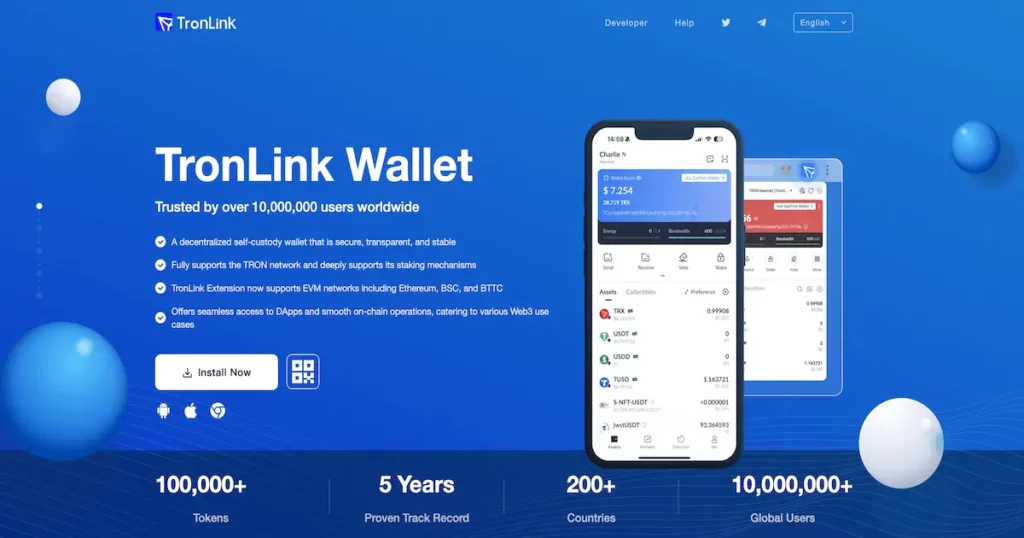
TronLink is the default self‑custody wallet for the TRON ecosystem that your holders are most likely already using. It comes as a browser extension and as mobile apps, and it’s built specifically to manage TRX and every major TRON token standard: TRC‑10, TRC‑20, and TRC‑721. Private keys stay encrypted on the user’s device, so the wallet provider never controls funds. From a founder’s perspective, you can think of TronLink as “the MetaMask of TRON” – it’s the main gateway between everyday users and anything running on your smart contracts. TRONLINK
What makes TronLink especially important for TRC20 projects is how deeply it plugs into the TRON stack. Inside a single interface, users can send and receive tokens, stake TRX, manage bandwidth and energy, and vote for Super Representatives. There’s also a built‑in dApp browser on mobile and a Web3 bridge in the browser extension, so most TRON dApps simply assume TronLink will be present. If your token looks good here – with logo, name, and price – it looks real to the majority of your potential holders.
Why TronLink Is Critical for Your TRC20 Token
For a TRC20 project, TronLink is where your brand either shows up cleanly or disappears into a random contract string. When your token sits in TronLink’s global token list, a user can search it by name, toggle it on, and immediately recognize your branding. If it’s missing, they’ve got to paste a contract address, check decimals, and hope they picked the right token in a sea of look‑alikes. That extra friction is where support tickets, scammers, and lost users appear.
Because TronLink reads token metadata, security signals, and prices from the broader TRON infrastructure, being “properly listed” there is more than a cosmetic win. It’s a sign that your token is known to the network: registered in the TRC20 token registry on TRON, checked by security services, and wired up to real markets. When founders talk about making a TRON token visible in TronLink, they’re really talking about syncing their project with this entire data pipeline.
How TronLink Works Under the Hood
From the User’s Perspective
When a user installs TronLink, the first step is creating or importing a wallet from a 12‑word recovery phrase. That phrase is used to generate an HD (hierarchical deterministic) wallet, which can hold multiple accounts and even multiple networks under one seed. The keys stay encrypted locally on the device, so TronLink acts as an interface and signer, not a custodian. From the user’s point of view, it’s their TRON bank vault, and they alone hold the keys.
Once the wallet is live, TronLink automatically displays TRX and any TRC‑10, TRC‑20, or TRC‑721 tokens it recognizes from its token list plus the user’s on‑chain balances. Inside the same app, people can send and receive tokens, inspect transaction history, freeze TRX for bandwidth or energy, and vote for Super Representatives. On mobile, an in‑app browser lets them open TRON dApps that connect straight to TronLink; on desktop, the extension injects a Web3 provider into pages, allowing sites to request addresses and transaction signatures through a familiar confirmation popup.
Security, Token Info, and Prices in the Wallet
TronLink doesn’t just show balances; it also tries to protect users from obvious traps. It consumes TRON‑level security services to flag suspicious contracts, risky approvals, or addresses known for scams. When users interact with unfamiliar tokens, they see warnings and basic security ratings instead of a blind “approve” button. This is one reason getting your token into the verified catalog matters: it separates you from the noise of spam deployments that wallets work hard to hide.
For assets that the wallet recognizes, TronLink also shows a fiat price alongside the token amount. It pulls those prices from external market data, with CoinMarketCap used as the primary source. If CoinMarketCap has a listing and real markets for your symbol, TronLink can fill in the price. If not, the wallet shows the well‑known dash instead of a quote. That’s why founders see a direct link between a TRON token CoinMarketCap listing and having anything meaningful appear in the “value” column of their holders’ wallets.
From the Developer and Infrastructure Perspective
TronLink as a Web3 Bridge for TRON dApps
On the development side, TronLink is the standard connection layer between your front‑end and the TRON network. When the extension is installed, it injects provider objects into every web page that wants to speak TRON. dApps use this provider to read on‑chain state, build contract calls, and then ask TronLink to sign those transactions with the user’s private key. The smart contract never sees the key; it only sees valid signed transactions coming from the wallet.
This pattern mirrors how MetaMask works on Ethereum, so any dev who has shipped EVM dApps will feel at home. Your front‑end doesn’t need to manage seeds, keystores, or hardware wallets directly. Instead, you delegate all signing and account management to TronLink and focus on building the flows that matter: swaps, staking, mints, or whatever your TRC20 token is meant to power.
Node Connectivity and Blockchain Data
TronLink also handles node connectivity for you. Under the hood, it talks to TRON full nodes and APIs to fetch account information, token balances, contract metadata, and logs. When a user initiates a transaction, TronLink prepares and broadcasts it to the network through these nodes, managing the low‑level details of bandwidth, energy, and transaction fees.
For you as a founder or smart‑contract developer, this means you don’t need every user to run their own TRON node or wrestle with RPC endpoints directly. TronLink plus public nodes provide a shared, battle‑tested connection to the chain. You worry about designing solid contracts and coherent UX; the wallet worries about getting signed transactions into blocks and relaying blockchain state back to your dApp.
Token Metadata, Security Checks, and Price Feeds
The final piece is data about your TRC20 token itself. TronLink consumes token lists and security information exposed by the TRON explorer and related services. That’s how it keeps an up‑to‑date catalog of newly issued tokens, verifies contract authenticity, and attaches a basic risk profile to each asset. When you go through proper token registration and verification, you’re effectively telling this system, “This contract is the official version of our token, with this name, symbol, and logo.”
On top of that, TronLink queries price trackers for market data. When CoinMarketCap recognizes a token symbol and has active markets to reference, the wallet uses its API to fill in price and market cap fields. If there’s no listing or the data is too thin, TronLink simply leaves the price blank. Put together, these layers turn TronLink into the standard gateway between TRON users, your contracts, and the off‑chain data sources that shape how your token appears in the wallet interface.
Why Being Listed in TronLink’s Official Token List Matters
Massive Visibility and Easier Discovery
Technically, any TRC20 token can be used in TronLink if a user pastes the contract address. In practice, that’s not how people behave at scale. Most users type a name into the “add asset” search box and expect the token to appear with a recognizable logo. If it doesn’t, they often assume the token is fake, unfinished, or not worth the hassle.
When your contract sits in TronLink’s official catalog, backed by a proper TronScan token listing, it becomes part of the default experience. Users discover the token by name, toggle it on, and see a familiar ticker instead of a random hex string. That dramatically reduces errors like adding the wrong contract, and it cuts down on support questions from confused holders wondering why they “can’t find” your asset in their wallet.
Logo, Branding, and Trust Inside the Wallet
Branding doesn’t stop at your landing page. Once your metadata flows from the explorer into TronLink, holders see your official name, symbol, and logo every time they open their assets list. Often, a tap on the token will also lead them back to your explorer page, where they can find your website and project description.
Compared to a plain generic icon and an unfamiliar contract address, this feels like a real product. Users can quickly distinguish your token from clones, honeypots, or similarly named projects. Every glance at their wallet reinforces your visual identity and ticker, which is especially valuable during the early phases when you’re still fighting for mindshare against larger, more established assets.
Price Display and Portfolio Experience
Getting your TRC20 token’s price to show in TronLink is where listing and liquidity work really pay off. Once your token trades on exchanges that major trackers recognize and you secure a CoinMarketCap listing, TronLink can fetch a live quote and show it next to each holder’s balance. Instead of seeing “amount: 123, price: –”, users see a real‑time value in TRX or fiat.
That one change moves the token from “experimental” to “portfolio‑ready” in people’s heads. They can track their holdings like they track any other asset, without leaving the wallet for an external chart. That convenience tends to drive more engagement: it’s easier to justify holding, rebalancing, or buying more when your token fits neatly into the same interface as TRX and other well‑known coins.
Better UX in dApps That Depend on TronLink
Most TRON dApps assume TronLink will be the wallet on the other side of the connection. When your token is part of the global token list, those dApps can detect balances automatically and label your asset correctly in their UIs. Swap interfaces, liquidity pools, and staking dApps typically pull token names and logos from the same metadata sources that TronLink uses.
If your token is missing from those lists, developers may need to hard‑code contract addresses, manually add icons, or avoid listing your token at all. When it’s present and well‑defined, they can often integrate you with a few clicks in a token selector component. That means smoother UX for your holders and a higher chance other projects will treat your TRC20 token as a first‑class citizen in their DeFi or GameFi flows.
Security Signalling and Scam Differentiation
Wallets are constantly fighting fake tokens and malicious contracts. Because TronLink consumes explorer‑level security checks, verified tokens get a different treatment than completely unknown contracts. Your asset can show up as a known, catalogued token rather than an unlabelled contract that triggers risk warnings at every interaction.
For a new user, this distinction is huge. Seeing your token in the same style as other recognized assets, without scary red flags, nudges them toward “this looks legitimate.” At the same time, look‑alike contracts trying to piggyback on your ticker are more likely to be flagged or at least appear unverified. That makes it much easier for your community to avoid scams and much harder for attackers to confuse first‑time buyers.
Strategic and Marketing Benefits for TRC20 Projects
Beyond pure UX, being well‑integrated into TronLink strengthens your overall story as a TRON project. When you talk to centralized exchanges, DeFi protocols, or ecosystem funds, you can point to the fact that your token is already visible, branded, and priced inside the main TRON wallet. It shows you’ve done the foundation work and that your asset isn’t just another unindexed contract.
There’s also a quiet marketing effect: many users discover new tokens by scrolling through supported assets in their wallet or exploring dApps that surface token lists. If your TRC20 token appears there with full metadata, that’s free, recurring exposure. Over time, it helps cement your status as part of the standard TRON landscape rather than a side project living only in a contract address and a Telegram group.
Quick Checklist: What “Listed in TronLink” Really Means
From TronLink’s point of view, a TRC20 token is effectively “listed” when two conditions are true:
- Your token is registered and verified in the TRON token registry with correct name, symbol, logo, and project info, so it appears in the global token list and passes security checks.
- Your token trades on at least one supported exchange and has a CoinMarketCap listing, so the wallet can pull real‑time price data instead of showing a dash.
Once you’ve checked both boxes, your token becomes searchable by name, addable with a single tap, and visible with logo and (optionally) live price directly in TronLink. That translates into higher trust, fewer support issues, and a smoother experience for everyone who holds or discovers your TRC20 token through the wallet.
What Are the Basic TRC20 Exchange Listing Requirements?
Exchanges usually expect a functioning TRC20 contract, a real website, clear tokenomics, and active social channels. Some will also ask about your legal structure, supply distribution, and whether you’ve done any audits or KYC. Meeting these TRC20 exchange listing requirements makes it far easier to secure good DEX and CEX markets. Those markets then feed data to trackers, which in turn feed TronLink, closing the loop between your smart contract and the wallet UI your users see every day.
How Can I Make a TRON Token Visible in TronLink Without Confusing Users?
The key is consistent branding everywhere. Make sure your TronScan token metadata, website, documentation, and marketing all use the same name, symbol, and logo. Educate users to only add TRC20 tokens by contract address using the official contract published in your docs and pinned in your community channels. When all of that matches what TronLink and explorers show, people can search, add, and hold your token without worrying they picked the wrong asset.
What Is the TronScan Token List and Do You Need It?
The TronScan token list is a structured catalog of TRON assets that wallets and dApps use as a reference. You don’t strictly need it to launch, but adding your token there—or via the equivalent registry paths—reinforces your TRON token explorer listing and keeps metadata synchronized across wallets and interfaces. In practice, that’s how you “get into TronLink’s global token list” so your contract is recognized as the official version and not treated like a random, unknown address.
How Long Until TronLink Shows My Token Logo and Price?
Once your TronScan token listing is approved, logo and metadata updates can flow into TronLink fairly quickly, although caches may delay what you see for a short time. Price display takes longer because it depends on CoinMarketCap. After you meet their criteria, submit your listing, and they index your markets, TronLink can start pulling a live quote. Expect days to weeks for the full price integration, depending on review queues and your market activity.
Can I Change My Token Logo in TronLink After a Rebrand?
Yes. If you rebrand, update your logo via the TronScan token logo upload flow and adjust any related token list entries. Once explorers and registries reflect the new branding, wallets that consume that data, including TronLink, will update automatically on their side. During the transition, communicate clearly with your community so they understand that a new icon represents the same official contract and not a different token.
Is There a Single TRC20 Token Visibility Checklist I Can Follow?
You can follow a simple checklist: start with contract sanity checks (name, symbol, decimals), complete TronScan token verification with logo and links, launch DEX and (if possible) CEX markets, then meet CoinMarketCap listing requirements and apply. After that, apply to CoinGecko and regularly audit how your token appears in TronLink and explorers. Treat this TRC20 token visibility checklist as a recurring task, not a one‑off, so your logo, metadata, and price always look professional in every wallet.
FAQ
How do I list a TRC20 token on TronLink so users see my logo?
First, complete a TronScan token listing from the wallet that controls your TRC20 contract. Fill in the name, symbol, description, links, and upload your logo. Once TronScan verifies your metadata, TronLink can read it from the TRON token registry. After that, users can search for your token by name or ticker inside TronLink and toggle it on with the correct logo and symbol instead of dealing with a raw contract address.
Why is the TronLink price not showing for my TRC20 token?
TronLink shows a dash when it can’t pull a reliable quote. To show TRON token price in TronLink, your token must be trading on at least one supported exchange and be listed on CoinMarketCap with a live market feed. When CoinMarketCap indexes your markets and your symbol matches across TronScan, exchanges, and trackers, TronLink can fetch the price through its API and display a live value next to each holder’s balance.
Can I just add a custom token to TronLink and skip TronScan?
Manual TronLink token visibility via contract address is fine for early testing and internal use. However, it doesn’t scale beyond a small group of power users. Without TronScan token verification, most users can’t find your token by name, and wallets or dApps may not display your logo or metadata. If you’re serious about growth, treat TronScan registration as mandatory, not optional—it’s what moves you from “manual add only” to being part of TronLink’s global token list.
Do I need both CoinMarketCap and CoinGecko listings for my TRC20 token?
For TronLink price display, CoinMarketCap is the critical one because TronLink reads pricing from there. If CoinMarketCap doesn’t track your token, the wallet can’t show a quote. CoinGecko listing for TRC20 tokens is still valuable though: it improves overall visibility, helps other wallets and dashboards discover you, and gives users another trusted place to check your data. Aim for both, but prioritize CoinMarketCap first.