

Already trading on Tokpie? You can use your live market pair to apply for a listing on BountyMarketCap. A profile on this crypto tracker gives your community one place to find your asset, check its price and trading volume, and see where it trades.
Follow this guide to learn how to list a token on BountyMarketCap, fill in the official form, and check your profile once it goes live. The same process works for native coins, with a different asset type in the form.
How to List a Token on BountyMarketCap
1. Check Your Exchange and Trading Pair
Start by searching BountyMarketCap’s Coins directory for your project name and ticker. If you find a match, open the profile and confirm that the chain and contract identify your asset. Then check whether the market you want to add is already there.
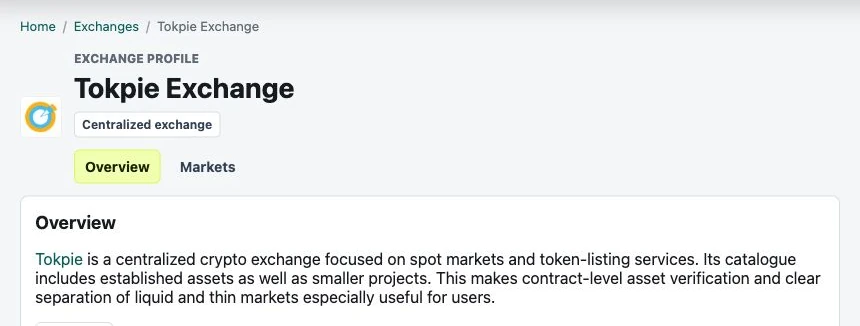
BountyMarketCap supports Tokpie Exchange. Any token or native coin with an active Tokpie trading pair can be submitted for review, with Tokpie as a supported market source. The Tokpie exchange profile on BountyMarketCap shows how tracked pairs appear. For example, it includes BMC/ETH for BountyMarketCap’s own token and LMN/USDT for Lumen.
Copy the direct URL for your pair from the exchange. Open it in a new tab and check that both symbols match the market you intend to submit. If you’re preparing your first Tokpie market, see our token and native coin listing guide.
2. Fill In the BountyMarketCap Listing Form
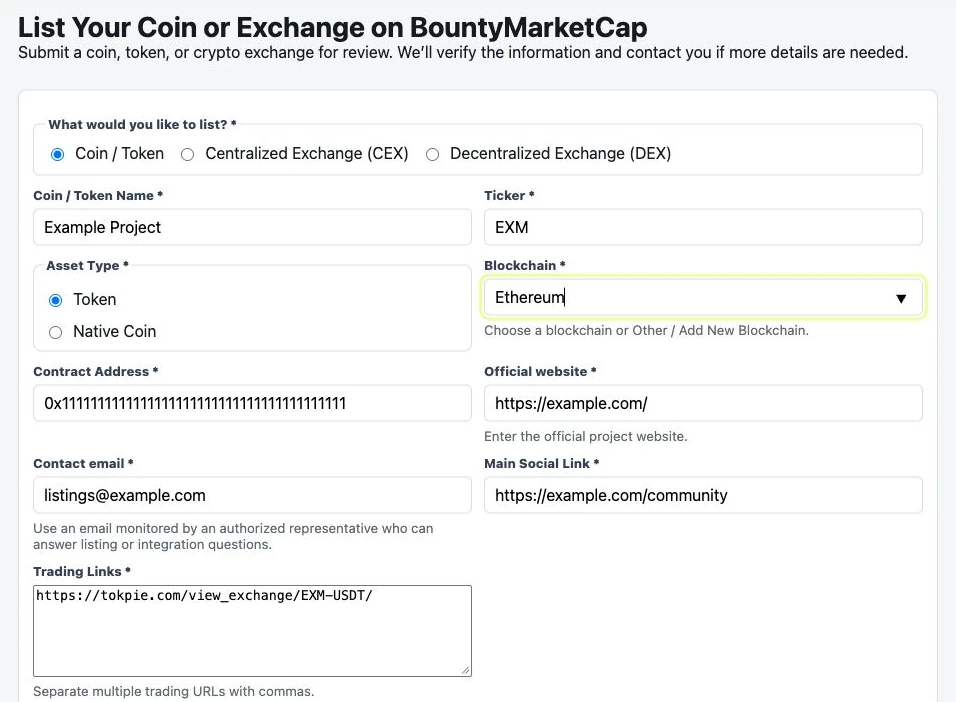
Open the official BountyMarketCap submission form and select Coin / Token. Gather the details below before you start.
- Coin or token name and ticker. Use the name and symbol shown in your project’s official materials and on the exchange.
- Asset type and blockchain. Choose Token for a contract-based asset or Native Coin for a blockchain’s own coin. Select the exact network. If it isn’t in the list, choose Other / Add New Blockchain and enter the network name.
- Contract address. For a token, copy the address from the correct block explorer and compare it with your project’s official documentation. For a native coin, select its own network and follow the fields the form displays.
- Official website, contact email, and main social link. Use the project’s own website and primary social account. Give an email address that an authorized team member checks regularly.
- Trading links. Paste the URL of your live Tokpie pair or another applicable supported market. If you include multiple pair URLs, separate them with commas as the form instructs.
Tip for multichain projects: Keep each chain and contract address together in your listing notes. That makes it easy to confirm which version of the token you are submitting and to answer any follow-up questions.
3. Submit for Review and Check Your Profile
Review your details, confirm that you’re authorized to submit the asset, and click Submit Coin. BountyMarketCap reviews the information and may contact you for details. Keep your explorer link and direct exchange URLs handy so your team can respond quickly.
Once your profile is live, search for your ticker and open the asset page. Check the name, symbol, and blockchain, then confirm that the Tokpie pair appears in the markets section. Save the profile URL so you can share it in your docs, community channels, and listing announcements.
How to Add a New Market to an Existing Profile
Already listed on BountyMarketCap and adding a Tokpie pair? Start with the existing profile so the reviewer can identify the right asset. Contact BountyMarketCap using the support details on its submission page. Include the BMC profile URL, the name and ticker, the correct chain or contract, and the direct link to the new pair. If your contract has changed, provide both addresses and a link to your official migration announcement.
What Is BountyMarketCap?
BountyMarketCap, or BMC, is a crypto market tracker with searchable asset profiles and a directory of supported centralized and decentralized exchanges. Asset pages bring project information and tracked markets together, while exchange pages show the pairs that BMC follows for each venue. Its market data methodology explains how it combines prices and calculates tracked volume.
For founders, a useful outcome is a public reference page your community can share. For holders, it’s a convenient way to check market data and find the trading venue for a specific asset.
BountyMarketCap Listing FAQ
Can I submit a token that trades on Tokpie?
Yes. BountyMarketCap tracks Tokpie as a supported exchange. Add your live Tokpie trading URL to the application so BMC can review the asset and its market.
Can I add a native coin to BountyMarketCap?
Yes. Select Coin / Token, then choose Native Coin and enter the coin’s mainnet details as prompted. Include the URLs of its active markets.
What is the difference between an exchange listing and a tracker listing?
An exchange listing opens a market where people can trade your asset. A tracker listing gives people a place to discover the asset and view data from the markets BMC tracks. If your token already trades on Tokpie, the next step is to submit your asset to BountyMarketCap.